An agent can say a dashboard loaded when the page is still the login screen.
Auspex opens cloud Chrome, reads the page, and a second machine checks that claim.
It never types a password.
ok ≠ claimOk ≠ claimOkProfile.
Three separate results on one receipt. They are not interchangeable.
We do not claim Alice-vs-Bob wrong-account detection.
Numbers below are the redacted auth-gated receipt, not the public page.
ok · true
The live browser matched the claim, and the second check passed.
claimOk · false
Skipped. A machine with no saved login cannot see a logged-in page. That false is on purpose, not a failed public check.
claimOkProfile · true
A second browser that reused the saved login saw the claim. That is the reuse gate. ok alone is not enough.
Measured. Public page, no login. Does not prove a logged-in app.
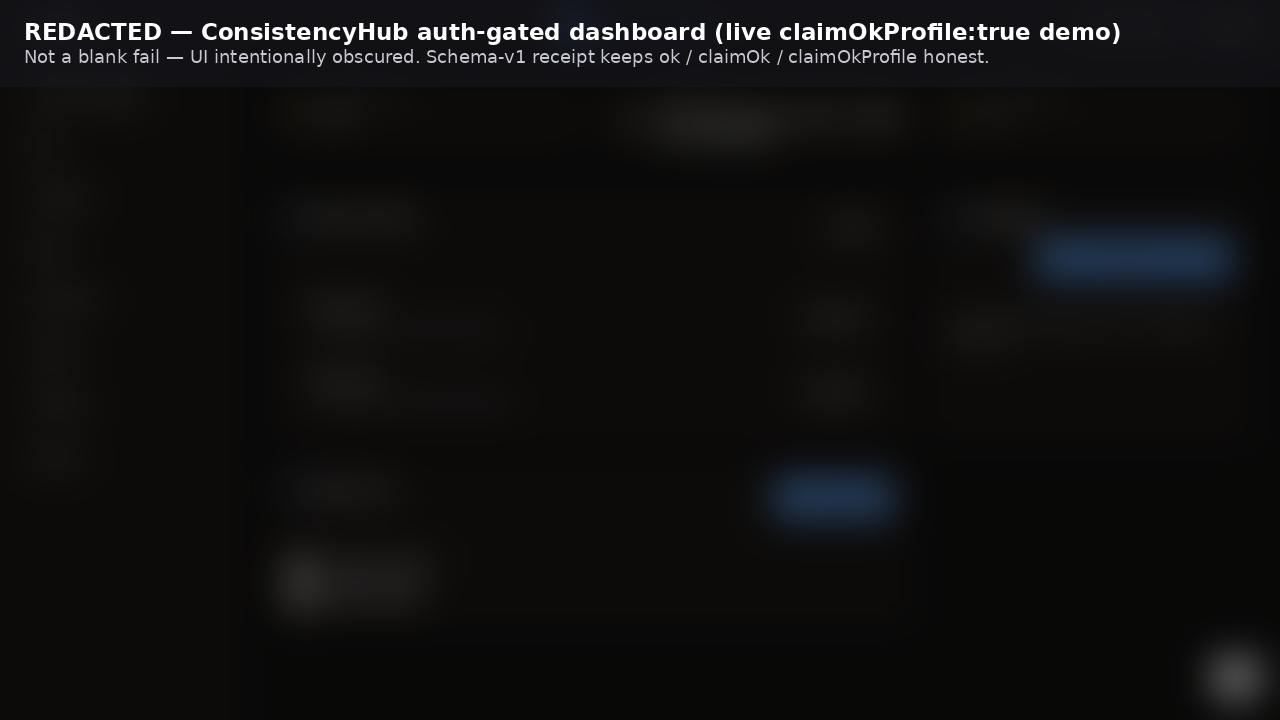
Redacted demo. Blurred logged-in page below, plus its receipt. The blur hides personal data. It is not a blank fail.
Stripped wall. The player lower on this page is only a Microsoft sign-in wall. Emails and passwords are removed. Not logged-in proof.
Same Microsoft login seed.
ConsistencyHub: blurred still + receipt.
OneDrive: receipt-only onedrive-receipt.json (no public PNG, PII).
Both: ok true, claimOk false (skipped), claimOkProfile true.
That pair is Truth A (a finished seed).
Truth B: Save can return 200 while the app is already on screen and the jar is still only Microsoft or Google cookies (session storage 0).
Status idp-only-save, kind app-visible. Do not finalize.
The app on screen is not a reusable saved login. An IdP session (often MSAL) can look logged in while Save stored only sign-in cookies.
That stop is honest. Login worked. Finalize only when the save holds the app session.
The picture is not a saved login. Solari handoff Save stores cookies and local storage; it cannot read the in-tab session token.
Not Auspex broken, and not a reason to mint again to finish Microsoft.
Worked evidence, not the recipe — strangers still use login --url plus their URL and expect.
RECEIPTS.md Dual pack.
Measured public check (no login). ok true, claimOk true.
This does not prove a logged-in app.
Receipt
Recipe for any other site: login --url (derives --profile app-example; override --profile <yours>).
Receipts.
Phone door.npx auspex-solari login prints one chooser link (door.html).
Open it in the phone's own Safari or Chrome and tap Phone.
phone.html has a real text field, so the software keyboard opens.
Chrome on the phone is the dogfood browser.
Click the remote address bar (or the remote field you mean to fill) before typing anything.
Keys stream into Solari remote Chrome as you type. There is no Paste button.
Press Enter to send Enter and clear the field.
Show as bullets is off by default so a password manager can paste into the text field.
Check Show as bullets for in-tab autofill (1Password / iOS Passwords / Android / Chrome).
If you swipe out, the page pauses and reconnects the same VNC token; remint only when stream-expired.
ironadamant.com does not see the password or any keystrokes.
Keys go into Solari remote Chrome and the destination site only.
The destination site logs its own login. If cookies or cache are cleared, or the remote session or saved profile is wiped, type the login again. Auspex and ironadamant.com do not host those credentials or session secrets; they live only in the remote Chrome session and on the destination site.
They stay off the AI chat line.
Tap Save (it copies a line that does not include what you typed). Paste that line, then
await-login --save-editor.
This is a seed/handoff door for off-site typing (IME + Save paste),
not a same-session HITL takeover of the live check.
Solari's picture of Chrome will not open the phone keyboard.
Desktop door.
Same mint, same hash. Open the chooser on a computer and tap Desktop, or use
desktop.html directly. Hardware keyboard. One typing field:
click the remote address bar (or the remote field you mean to fill) before typing anything.
Keys stream as you type (no Paste button). Enter clears the local field.
Show as bullets is off by default so a password manager can paste into the text field.
ironadamant.com does not see the password or any keystrokes.
Keys go into Solari remote Chrome and the destination site only.
The destination site logs its own login. If cookies or cache are cleared, or the remote session or saved profile is wiped, type the login again. Auspex and ironadamant.com do not host those credentials or session secrets; they live only in the remote Chrome session and on the destination site.
They stay off the AI chat, MCP, and receipts.
Seed/handoff door, not a live-session takeover.
This is not the Mousepad sandbox demo (auspex desktop); that is a separate named Solari desktop primitive.
An idle saved profile is deleted on the next Auspex command after 30 minutes without use —
not a live timer on this field. Purge a used login only after the human agrees.
Door pages do not collect the Solari API key.
Agent door.
Mint login --url (the profile comes from the host; https://app.example becomes app-example)
→ the human opens the handoff and logs in
→ the human taps Save and pastes the copied line
→ await-login --save-editor
→ finalize-login, then later check (optional --verify-with-profile).
Seed/handoff door for off-site typing — not a same-session VNC takeover.
Agents never type a password. Secrets stay off chat, MCP, and receipts.
Frozen door sequence
(llms.txt).
A worked example is evidence only, not this recipe.
human browser  →  ironadamant.com/auspex/* (keyless Pages)  →  VNC token in hash
operator machine  →  CLI/MCP  →  SOLARI_API_KEY or .auspex/operator-key  →  Solari API
Pages never collect the key. Agents never type a password.
Microsoft login wall only.
Emails and passwords stripped. Not a logged-in recording and not logged-in proof.
Auspex did not type a password. The logged-in dashboard is the blur above.
This iframe is the Pages-generated player (npm run generate:replay from replay.ndjson).
The committed repo file demo/replay.html is a stub, not the player.
The logged-in dashboard is the blur above. We do not publish that session.
Host and receipts: RECEIPTS.md
/ demo path.
Try it
export SOLARI_API_KEY=slr_live_…   # console.getsolari.com
npx auspex-solari check --name ironadamant
npx auspex-solari check https://example.com --expect "Example Domain"
npx auspex-solari login --url https://app.example
# New host: do not carry a previous --profile. Omit --profile or pass that host's slug.
# mint is traced; if silent or login fails: npx auspex-solari trace (not a fourth primitive)
npx auspex-solari await-login --profile app-example --save-editor
npx auspex-solari finalize-login --profile app-example --url https://app.example --expect "Workspace ready"
npx auspex-solari check --profile app-example --url https://app.example --expect "Workspace ready"
# Expect must be unique to the logged-in app, not public marketing copy.
# Dashboard does not match One Dashboard. A public-URL hit during finalize is expectMatchedPublicLanding, not matched.